What to do now
Serve ordinary customers, inspect anything that looks wrong, and use several observations before making an in-game choice.
Start your first diner shift with the official objective and a cautious customer-check routine.
Serve ordinary customers, inspect anything that looks wrong, and use several observations before making an in-game choice.
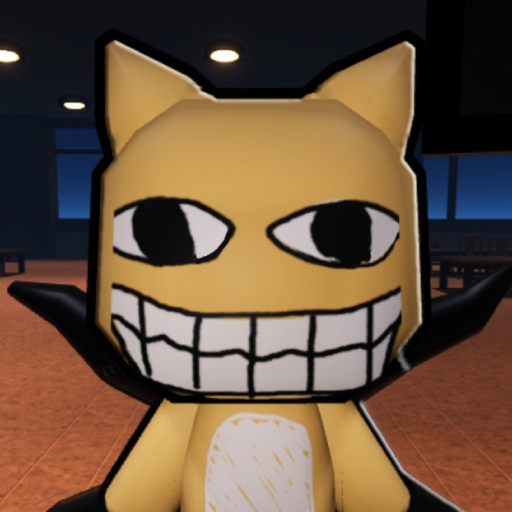
Customers are the center of the official diner job. Inspect the full customer and surrounding scene before responding; no complete named customer roster was confirmed.
Follow the visible service prompt in your current run. No public exact-game recipe, menu, station, or order-timing catalog was found, so this guide does not invent one.
The official Roblox description says you are hired at Spuddy's Family Diner. Your job is to serve customers, detect anomalies, and avoid bad reviews.
Give yourself a moment to look at the customer, nearby table, visible path, and any camera view the current scene provides. Community videos show suspicious moments across more than one surface.
A community example can tell you where to look, but it does not prove that every similar-looking event has the same answer. Recheck the full scene when evidence conflicts.
Read the visible prompt and learn where customers, tables, and the service interaction appear in your current shift.
Look for changes in faces, bodies, table space, the approach path, and camera feeds before responding.
Use the checker when you have several observations or want to remember which surface looked unusual.
If a bad review appears, note the event in the tracker and adjust one part of your routine next time.
Follow the current on-screen prompt; the official description does not document every control.
Scan another surface instead of treating a single visual oddity as final.
Updates or a different shift may change the scene. Use the checked date and compare the current game.
Acting before a full scan can hide a second clue.
Community clips are examples, not a complete rulebook.
The public description mentions bad reviews but does not state a firing count.
Serve customers, detect anomalies, and avoid bad reviews, according to the official Roblox description.
This guide cannot guarantee that. Compare several visible surfaces and use community examples cautiously.
A current community walkthrough labels Shift 1 through Shift 5; the official description does not state a count.
Use the observation checker, then open the full walkthrough if you need shift-by-shift context.